Zimoglyadova Alina
- What am I really good at?
My greatest strength comes from being efficient, cooperative, and a good team worker. - What differentiates me from other designers?
My unique style of working and the ideas I produce are the main aspects that differentiate me from others. - Which UX activities do I really like to do?
I prefer creating easily recognizable designs which are understandable for people. - On which projects did I bring the most value?
The projects which include social topics, the ones which should be able to affect people’s emotions and thoughts - From which projects did I learn the most?
I learned the most from the projects which required the use of digital resources and brainstorming. - What exciting stories can I tell about the work that I did?
The most interesting stories I can tell are the search for materials and inspiration for my projects.
Case study project “MEDIEVAL BOARD GAMES FESTIVAL”
1. Your and your colleagues’ role in the project?
Collecting inspiration and information about the way to attract people for attending the event, what is more, interesting for them, elements and things which should be included in it doing research on what is popular and fascinating.
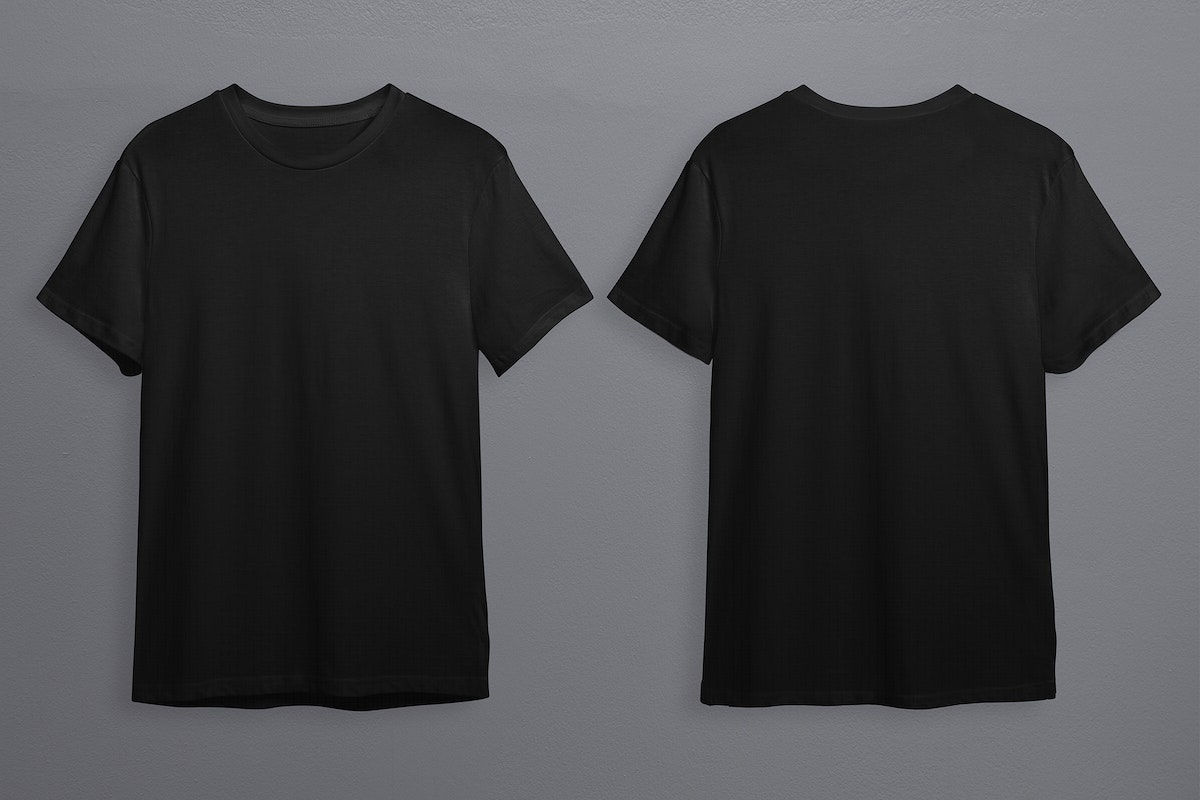
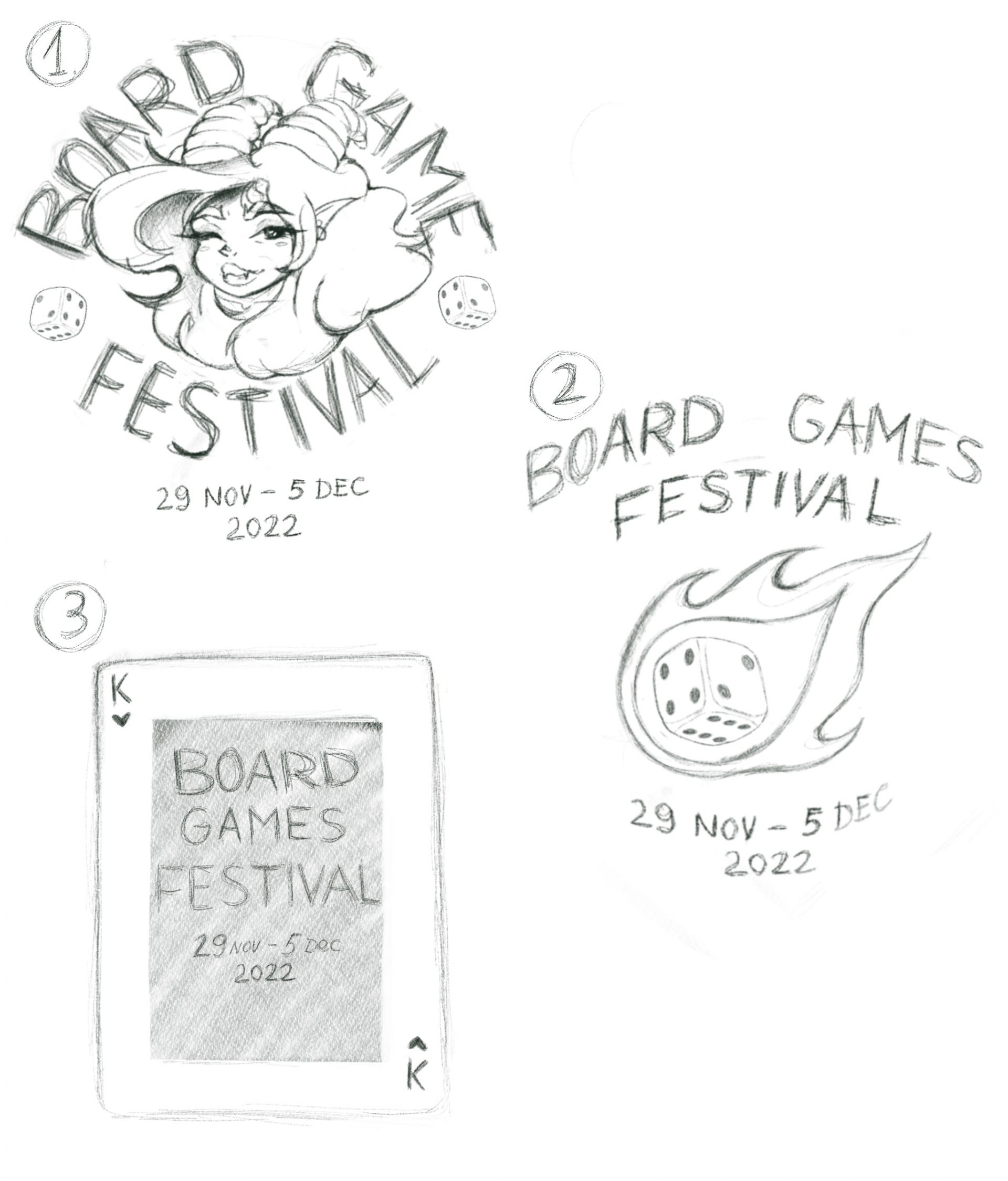
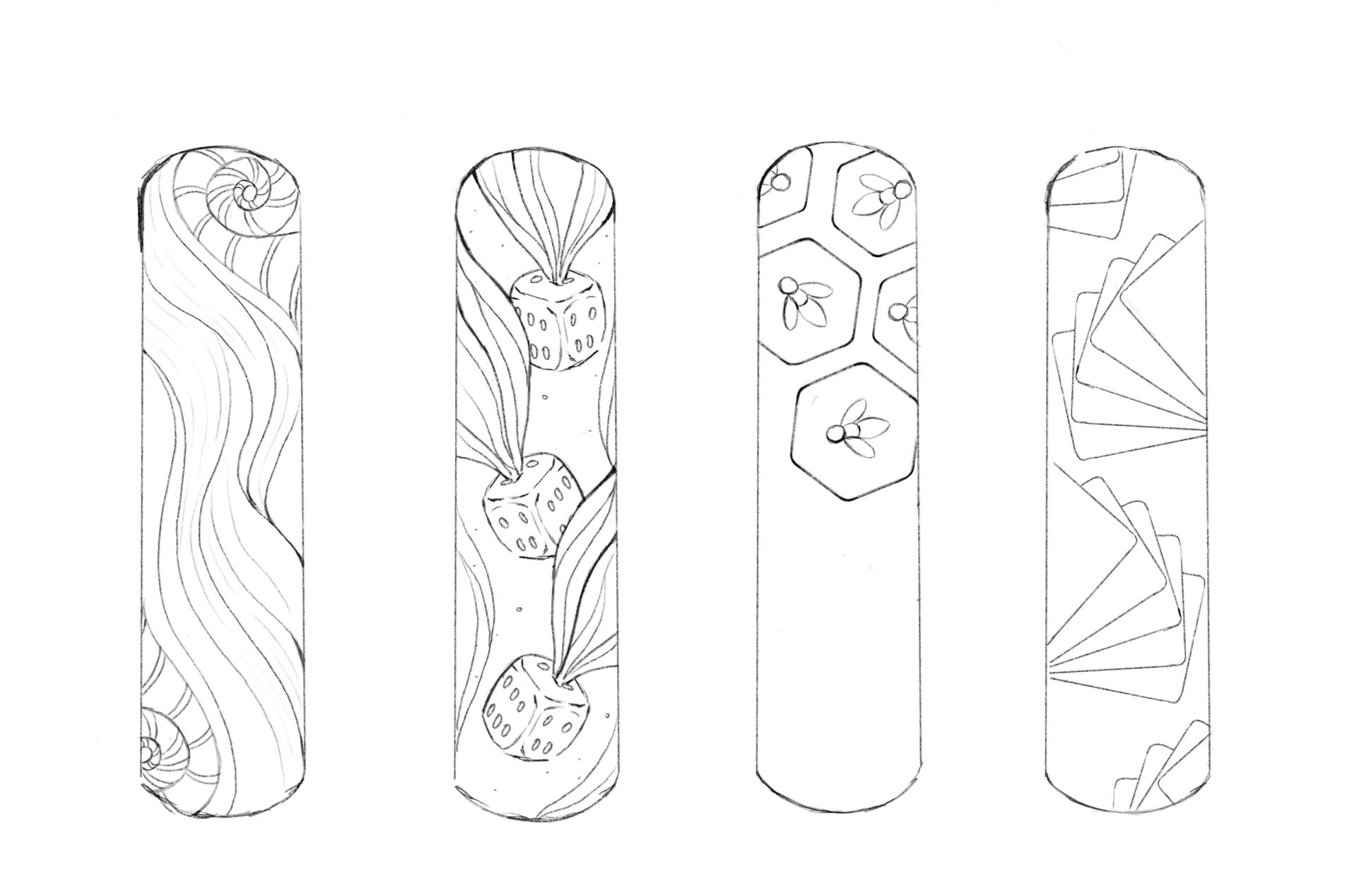
Working with collected information, forming an idea and basic plan of design for the elements of the event which include: logo, jacket emblem, poster, bracelets, bookmarks, ticket, banner, signs, and map.
2. Introduction — scenario/problem/goal:
Scenario – to create the complete plan and list of things to include in event creation. As the theme of the event is Medieval Board Games, we concentrated our attention on creating everything in fantasy medieval style with gambling elements to create a playful atmosphere. Example, are the signs with the Illustrations of snake, drinks, shields etc.
Problem – to create enough various designs and ideas for keeping people enteratained.
Goal – to create an event which will show people how to spend their free time with fun and thinking at the same time, also to educate about the entertainments of the past.
3. Who are the users?
The users are people over 16 years old, as some elements include the need to sit and think for some time, those interested in card or board games and fantasy/medieval setting.
4. Design Process (methodology; roadmaps; metrics; research…)
- Collecting information and creating an idea of how the event should look like.
- Creating a plan and list of areas, entertainments and other elements.
- Forming a style with typography, palette and theme.
- Creating sketches, mockups and prototypes for future designs.
- Crearing desins for all elements, discussing them with team.
- Polishing the designs and presenting the final product.
- To host the event.
5. What tools did you apply in this project?
The tools applied to this project are the information collected from wide range of sources, polls to learn what people prefer, a complete plan formed by discussing and valuing.
6. Research:

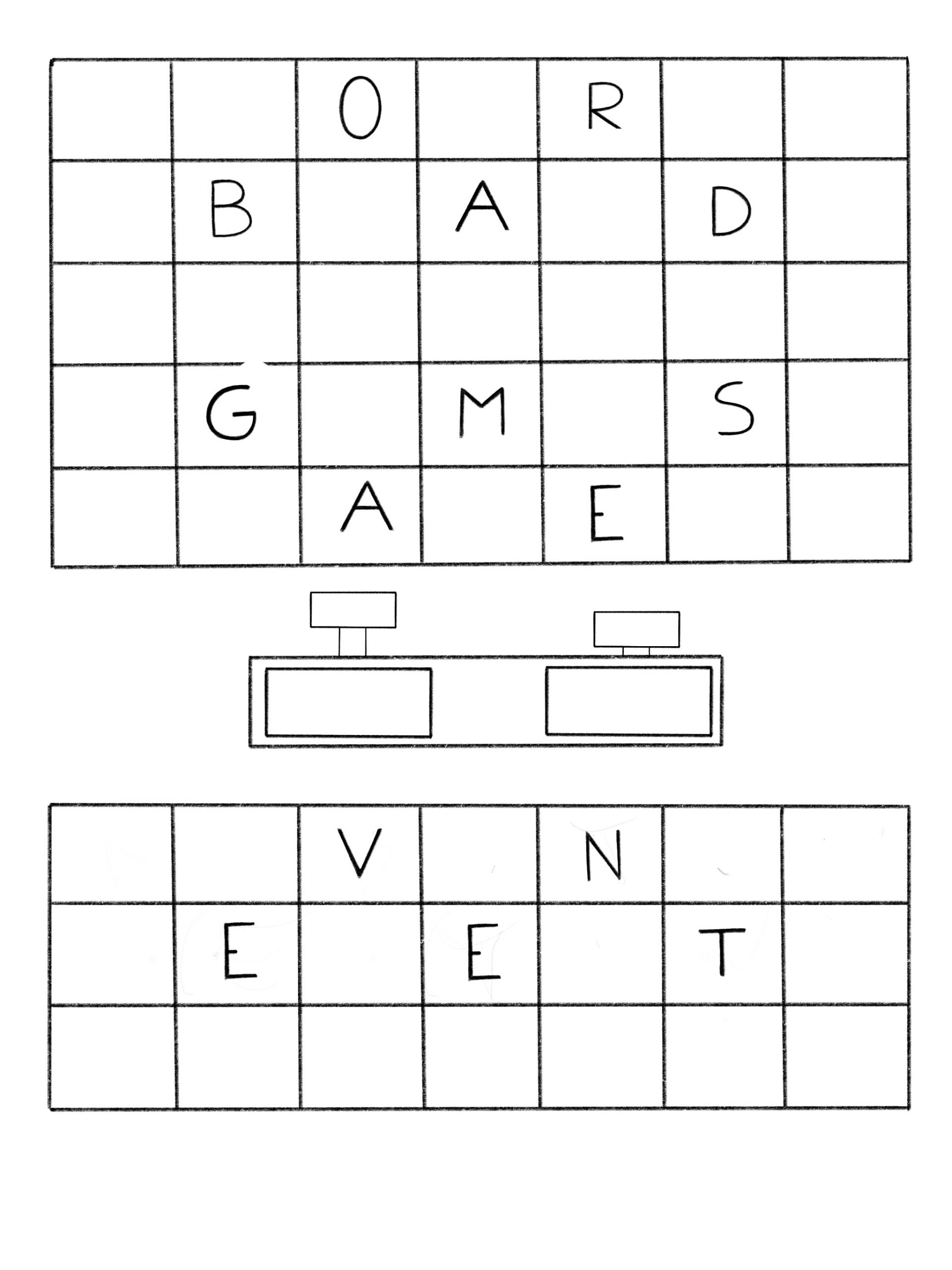
7. Sketches, wireframes, graphics, prototype:

T-shirts mockup Alina Z
Sketch Alina Z (1)
Sketch Alina Z (2)
Sketch Alina Z (3)
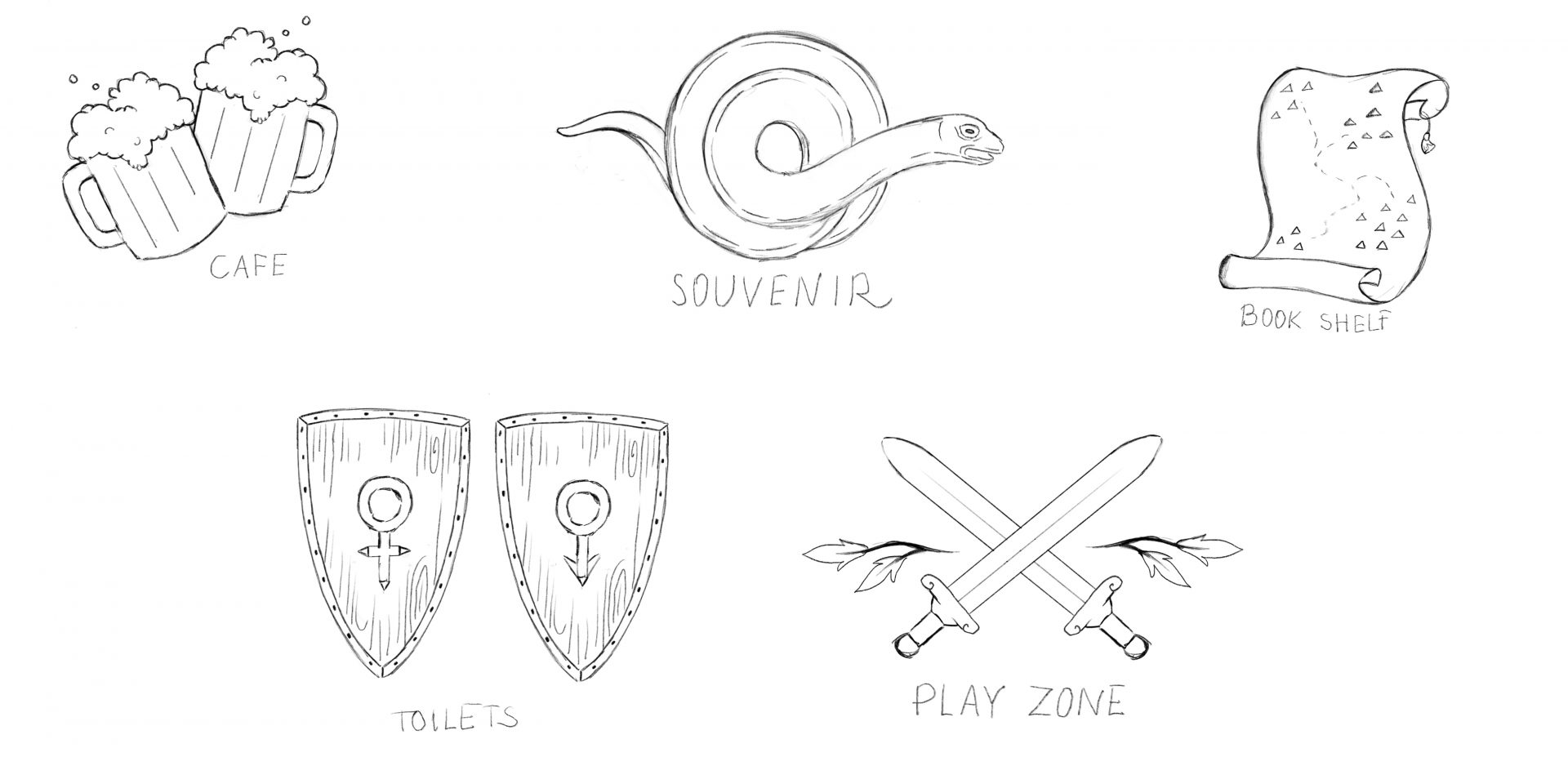
Sketch Alina Z (4)
8. Results and takeaways from a Usability test/before and after applying UX Design to the product:
Simple design, easily recognizable elements and pictures, informative descriptions make the project easy to understand for people in their teens and older.
10. Your final design — style guide:
The information and designs do not have a strict or exact order, but there are elements which can help people to understand it better and find their way around the event more easily:
- A map which includes important places of event.
- Actual guides and workers of the event area, including speakers.
- Boards with information.
- Signs which are hang all around the event area.
11. Conclusion/ The impact:
The process of working on event creation gave me an opportunity to work on an unregular project style for me and inspired me to be more open-minded.
11. What did you learn from the project?
- How to arrange information and plan your project.
- How to learn about people’s interests and keeping them fascinated.
- Learned the history of various entertainments improving my knowledge.
- How to work with different topics or themes and presenting them in design.
12. What would be the next steps?
- To improve the skills of working with wide range of information more efficiently.
- To participate in similar projects futhermore.
- To learn how to work with other themes for event creation and hosting.
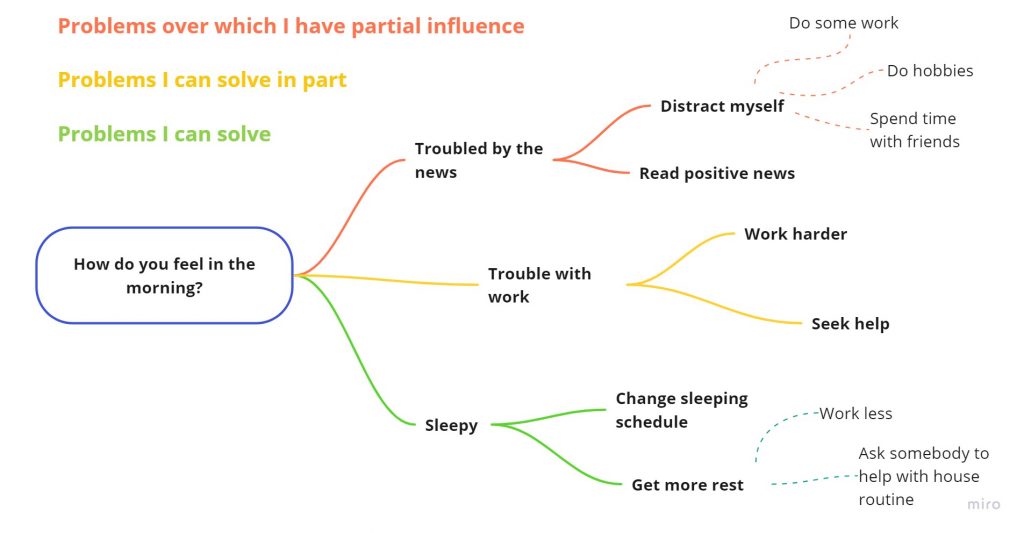
How I feel in the morning?
Affordances
Affordance № 2 – Elevator

- Affordance – clear comes from acquired knowledge and logic. An object separating a walking zone from traffic indicates its purpose to prevent movement.
- Tags – a button for calling the elevator, and a floor number display on the top.
- Mapping – none.
- Feedback – the pressed button causes the door to open and close, and the elevator to move.
- Rating: clear and simple, good design.
Affordance № 3 – Door Handle

- Affordance – clear, comes from acquired knowledge and logic. A bent stick connected to the door indicates its purpose to be pulled or pushed.
- Tags – none.
- Mapping – none.
- Feedback – none.
- Rating: clear and simple, good design.
Affordance № 5 – Crosswalk operator
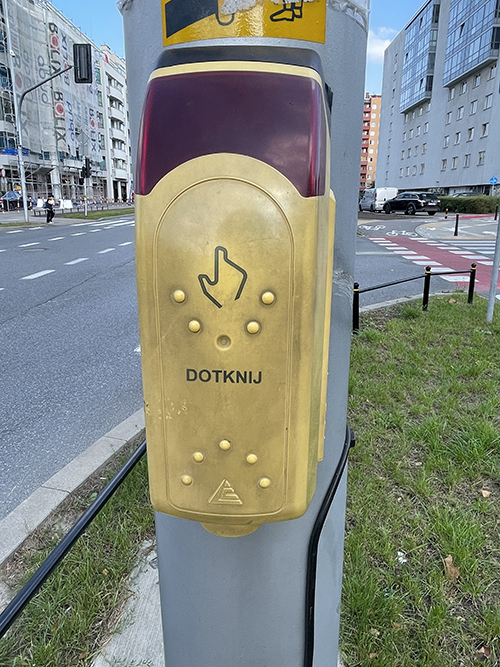
- Affordance – clear, comes from acquired knowledge and logic. An object next to a crosswalk and traffic lights indicates its purpose to fasten the change of traffic lights to green.
- Tags – word and the hand symbol.
- Mapping – the hand is pointing where to press.
- Feedback – starts glowing and makes a sound.
- Rating: clear and simple, good design.
Affordance № 9 – Iron Barrier

- Affordance – clear, comes from acquired knowledge and logic. An object separating a pathway indicates its purpose to prevent the movement of vehicles.
- Tags – red and white colors.
- Mapping – none.
- Feedback – none.
- Rating: clear and simple, good design.
Affordance № 13 – Metal Stand

- Affordance – half-clear, comes from logic. A stand next to the store indicates its purpose to being used in being put something on.
- Tags – none.
- Mapping – none.
- Feedback – none.
- Rating: clear and simple, medium design.
Affordance № 20 – Trash Can

- Affordance – clear, comes from acquired knowledge. The garbage can is an everyday object in the life of people.
- Tags – none.
- Mapping – none.
- Feedback – none.
- Rating: clear and simple, medium design.
Affordance № 16 – Bench

- Affordance – clear, comes from acquired knowledge. A bench is an everyday life object for most people.
- Tags – none.
- Mapping – none.
- Feedback – none.
- Rating: clear and simple, medium design.
Affordance № 23 – Remote Control

- Affordance – unclear, comes from acquired knowledge. A controller with dozens of buttons is not understandable by inexperienced users.
- Tags – colorful buttons with short descriptions.
- Mapping – symbols on buttons.
- Feedback – another device responds as we press the buttons.
- Rating: bad design.
Affordance № 13 – Metal Pillar

- Affordance – unclear, comes from logic. The knowledge acquired from experience. A short green pillar on the sidewalk.
- Tags – none.
- Mapping – none.
- Feedback – none.
- Rating: clear and simple, bad design.
Affordance № 22 – Trash Can

- Affordance – unclear, comes from logic. A weirdly shaped trash can.
- Tags – none.
- Mapping – none.
- Feedback – none.
- Rating: clear and simple, bad design.
Affordance 1 – Cups
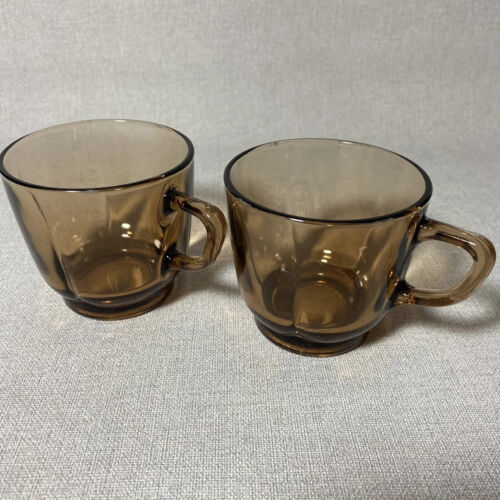
- Affordance – clear, the knowledge acquired from experience and logic. The shape of cups indicates their purpose – putting something inside.
- Tags – none.
- Mapping – none.
- Feedback – none.
- Rating: good design.
Affordance 2 – Street signs
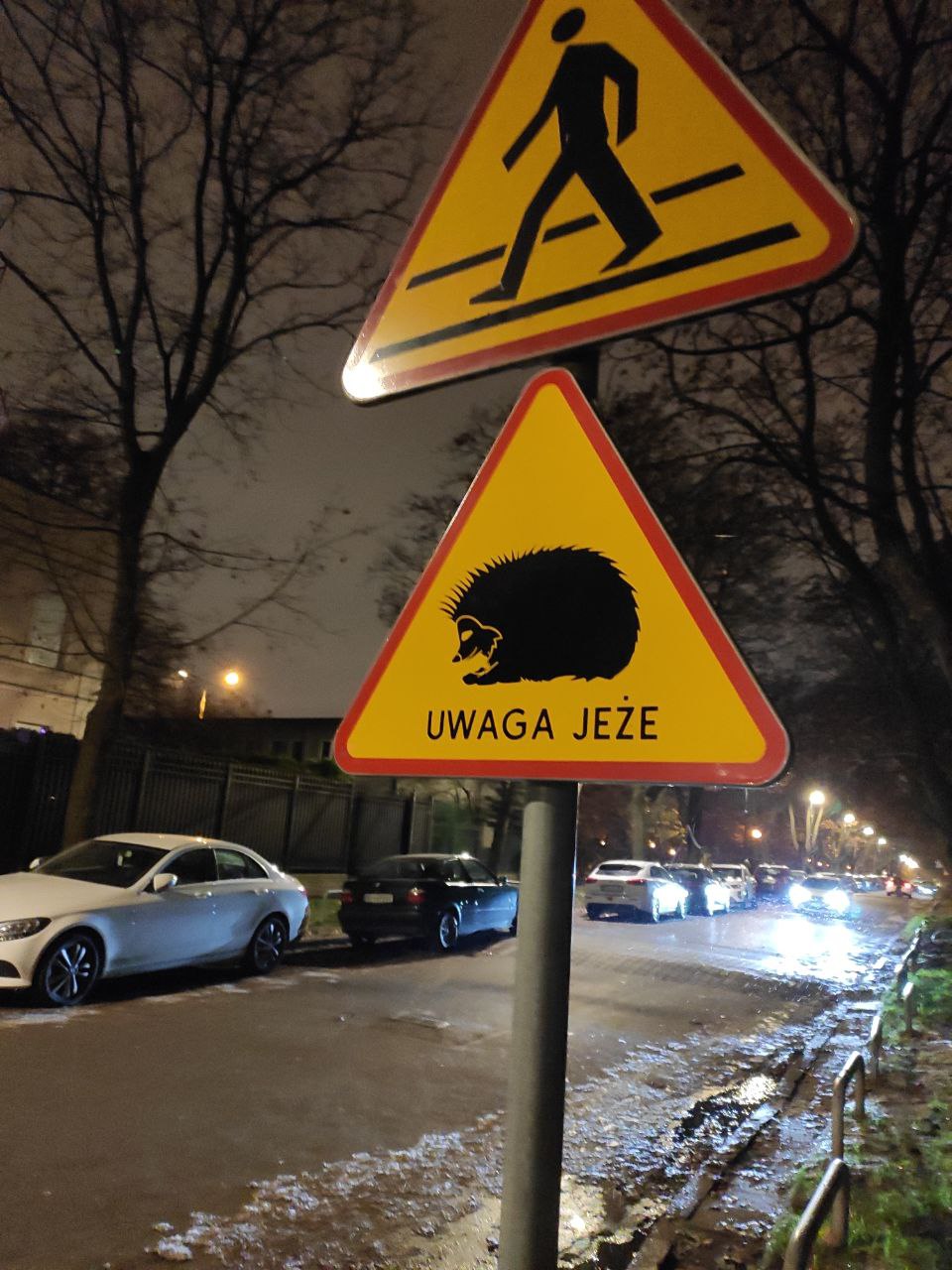
- Affordance – half-clear, the knowledge acquired from experience.
- Tags – specific shapes, colors, and pictures.
- Mapping – none.
- Feedback – none.
- Rating: good design.
Affordance 4 – Trash Can
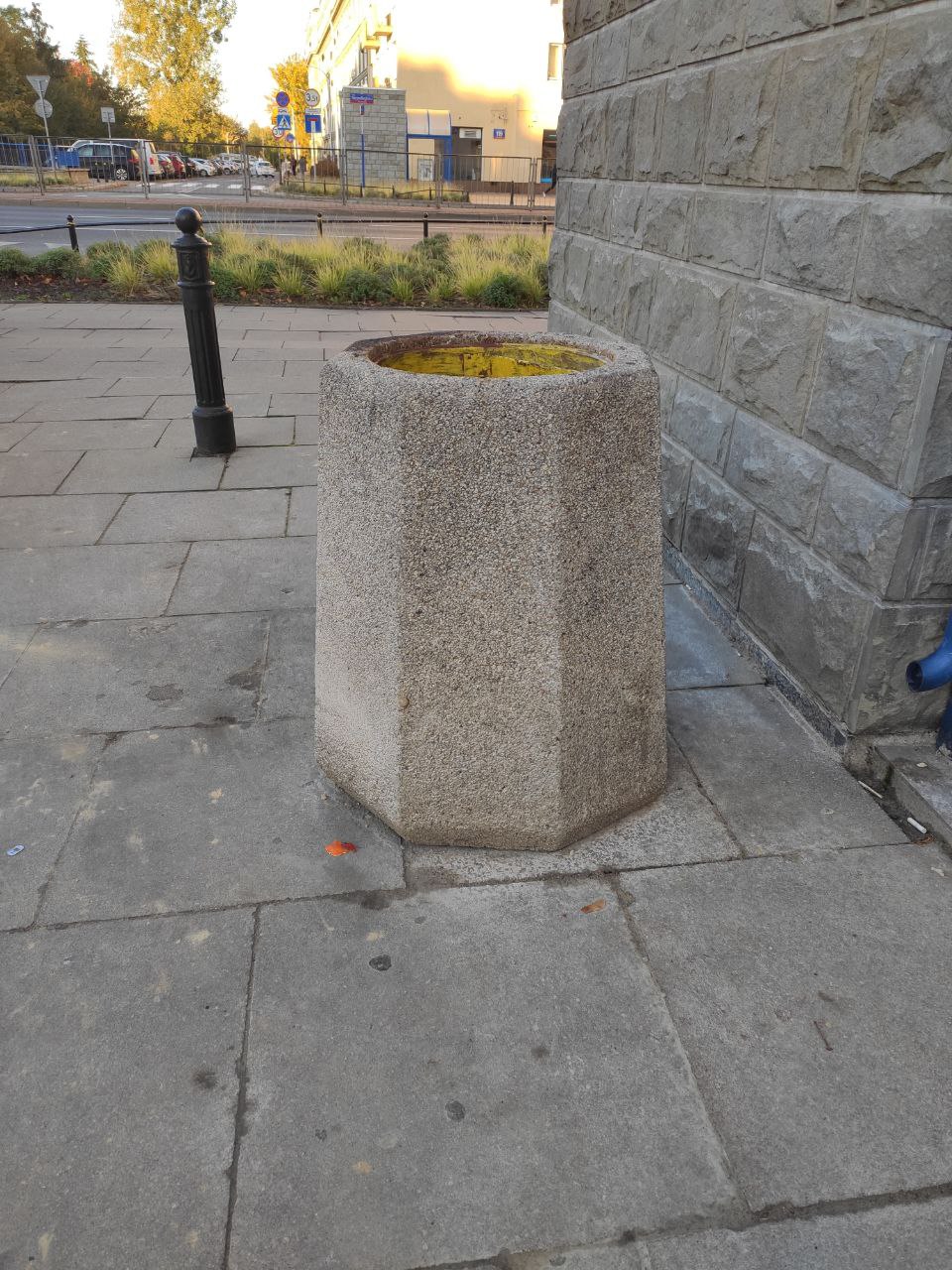
- Affordance – clear, comes from acquired knowledge. The garbage can is an everyday object in the life of people.
- Tags – none.
- Mapping – none.
- Feedback – none.
- Rating: clear and simple, medium design.
Affordance 4 – Stairs
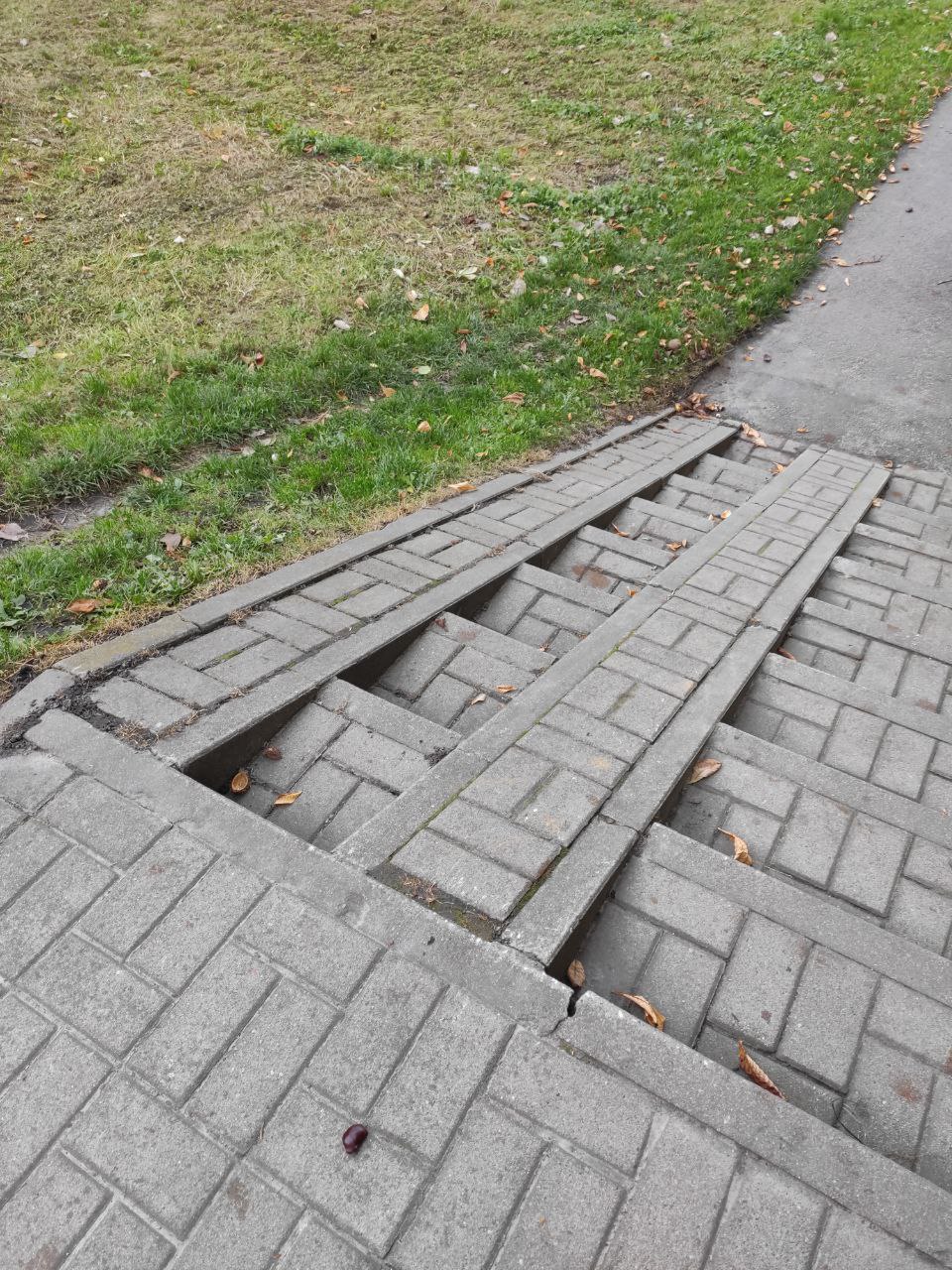
- Affordance – clear, the knowledge acquired from experience and logic. The structure indicates the use of stairs – making the walking path easier.
- Tags – none.
- Mapping – none.
- Feedback – none.
- Rating: medium design.
Affordance 5 – Remote control
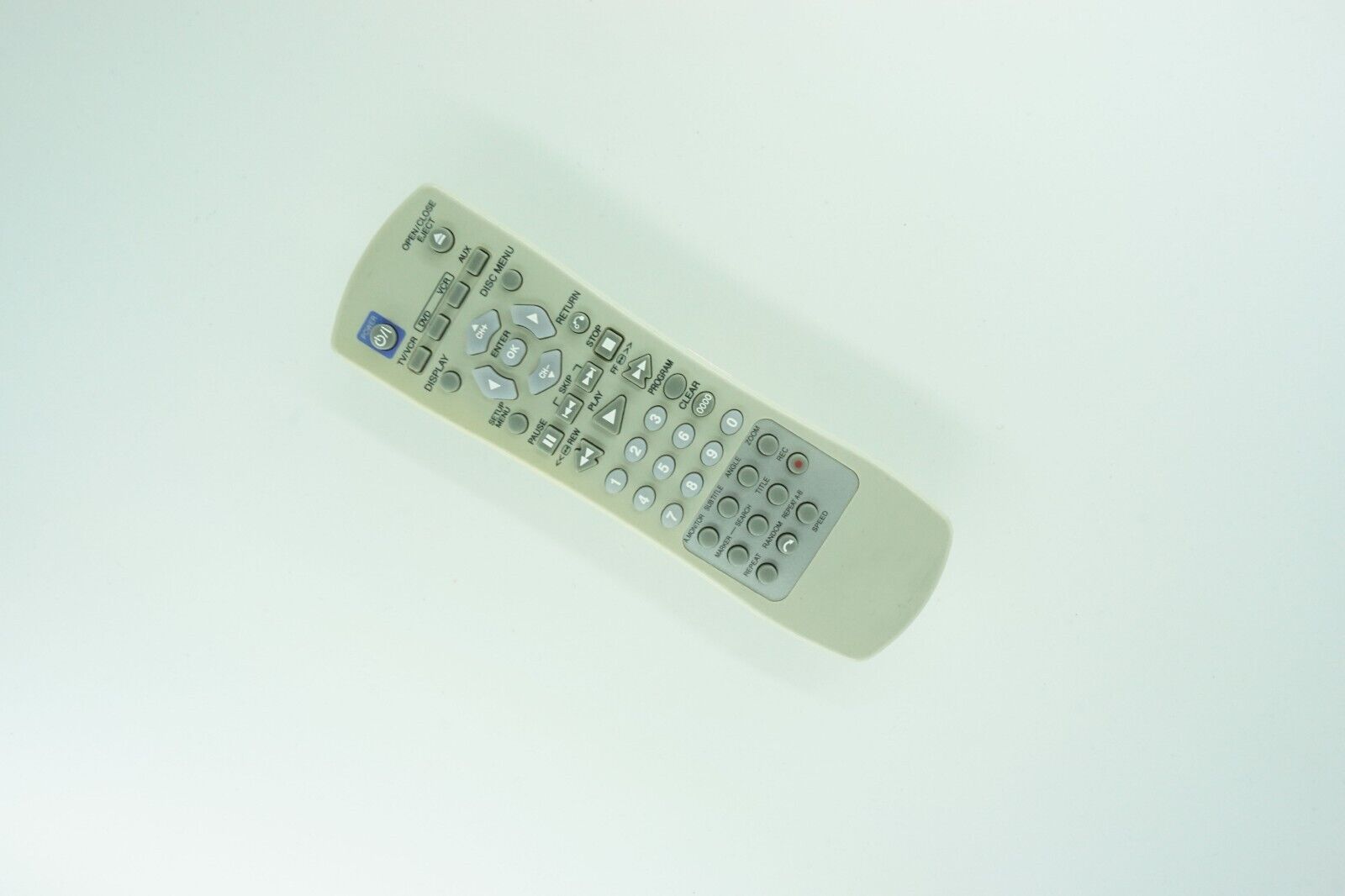
- Affordance – half-clear, the knowledge acquired from experience. This may cause confusion for the inexperienced user.
- Tags – buttons of specific colors or symbols, numbers, or words.
- Mapping – symbols on buttons.
- Feedback – unclear, another device reacts to the buttons.
- Rating: medium design.