Task 1
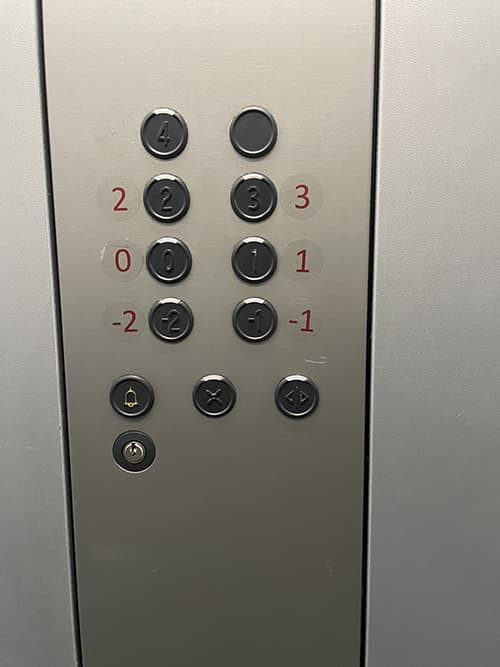
1.
- Affordance – comes from acquired knowledge. Elevator buttons are commonly present objects in urban spaces.
- Device Tags – buttons with numbering beside them indicating the floor numbers
- Mapping – numbers on the side of the buttons point to the floor it travels to
- Feedback – buttons make noise after being clicked and the elevator starts moving
- Rating – the numbers are not on the buttons, which can when pressed be erased of any paint on it’s surface, which is good decision. However, the ordering of those numbers is unnatural and hard to navigate – medium design
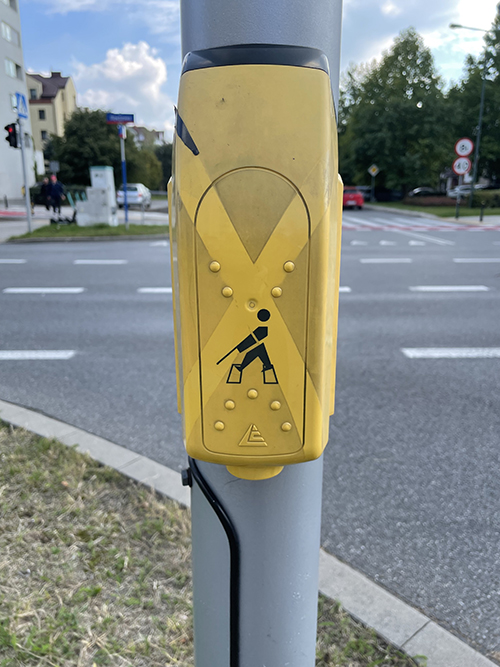
2.
- Affordance – comes from acquired knowledge. Pedestrian crossing buttons are commonly present objects in urban space.
- Device Tags – the pictogram of a human crossing the road and the button underneath that is hinted by the arrows.
- Mapping – button maps to the activation
- Feedback – when pressed makes a sounds marking activation
- Rating – The color is birght and easily noticeable being on the eye level. The bumps on the outside make it easy to locate the button underneath and the sound helps understanding the device was activated – good design
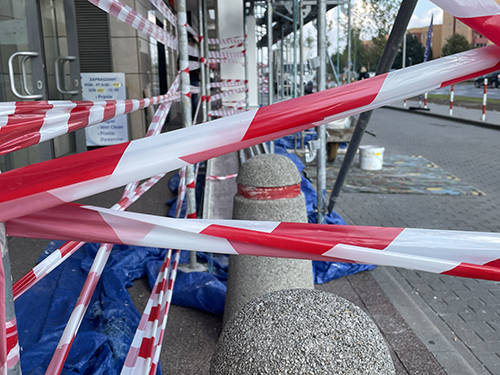
3.
- Affordance – communicates a clear message to people that there is a hazard or an area that they should avoid.
- Device Tags – the color red, indicating caution, and white for visibility.
- Mapping – none
- Feedback – none
- Rating – relatively simple but effective, making it a reliable tool for cordon off hazardous areas – good design
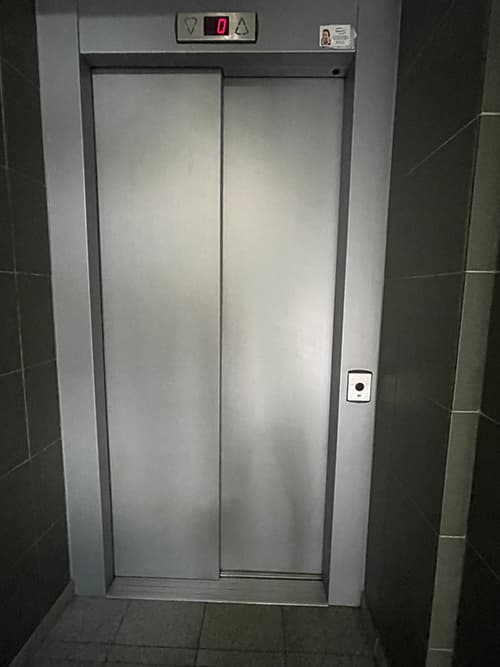
4.
- Affordance – comes from acquired knowledge. Pedestrian crossing buttons are commonly present objects in urban space.
- Device Tags – doors that open and close automatically, buttons or touchscreens for selecting floors or destinations, and a display that indicates the current floor or direction of travel
- Mapping – button calls the elevator
- Feedback – provided through auditory and visual cues that indicate the current floor and the direction of movement
- Rating – single button to call makes it easy to use, the indication on top pointing to the floor and direction of the deck provides estimations – good design
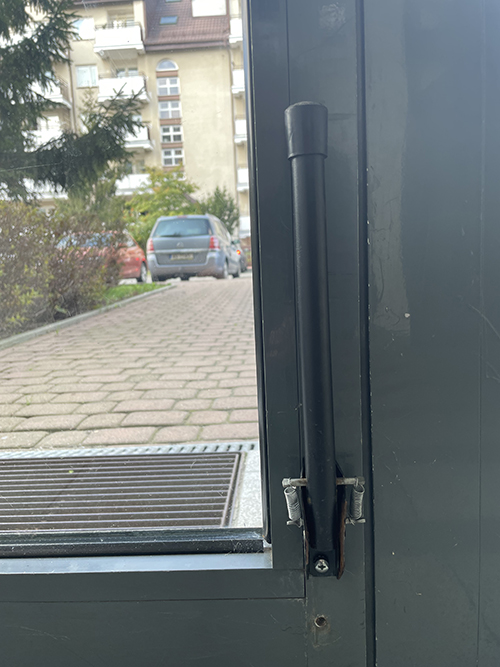
5.
- Affordance – comes from acquired knowledge. Door stoppers are commonly present objects in urban space.
- Device Tags – an object with rubber end attached to a kick-back mechanism
- Mapping – none
- Feedback – none
- Rating – self-explanatory directional mechanism that can be used with full hands – good design
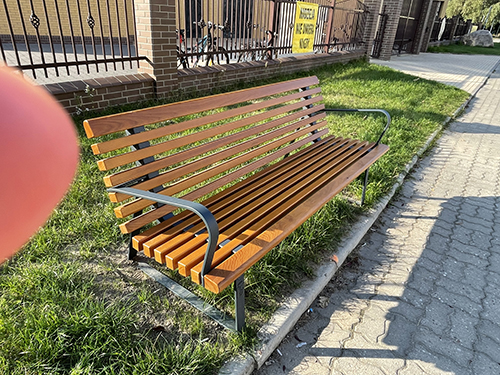
6.
- Affordance – comes from acquired knowledge. Benches are commonly present objects in urban space.
- Device Tags – a metal frame with wooden surfacing to sit on
- Mapping – none
- Feedback – none
- Rating – the wood feels comfatable to sit on, the armrests provide additional comfort, wood tends to wear down and break under load, so this design requires minimal, but some maintainance – good design
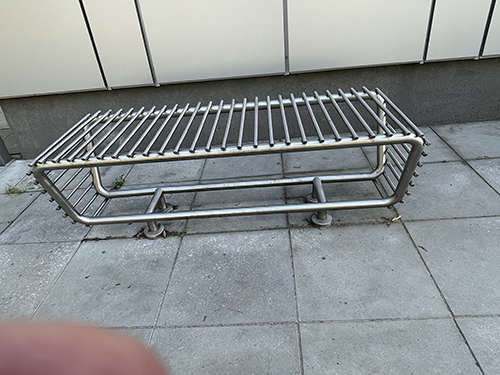
7.
- Affordance – comes from acquired knowledge. Benches are commonly present objects in urban space.
- Device Tags – a metal frame with metal surfacing to sit on
- Mapping – none
- Feedback – none
- Rating – the metal material is a bad choice, as it is dependant on outside temperature, the upside is the sturdiness of the material. However, the low maintainance does not overcome dowside of the main purpose – bad design
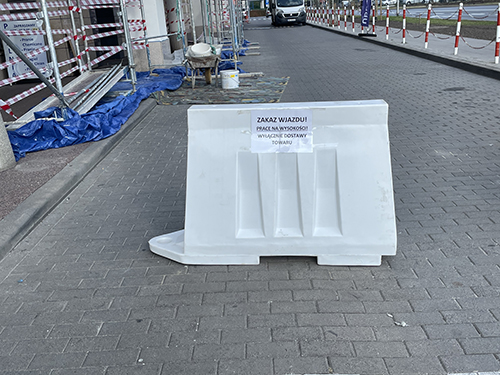
8.
- Affordance – comes from acquired knowledge. Simulates a bumper wall.
- Device Tags – plastic barrier with extension part
- Mapping – none
- Feedback – none
- Rating – light and durable plastic material, placing it in any space simulates a wall and can point to a blocked movement in that direction, can be extended with similar objects – good design
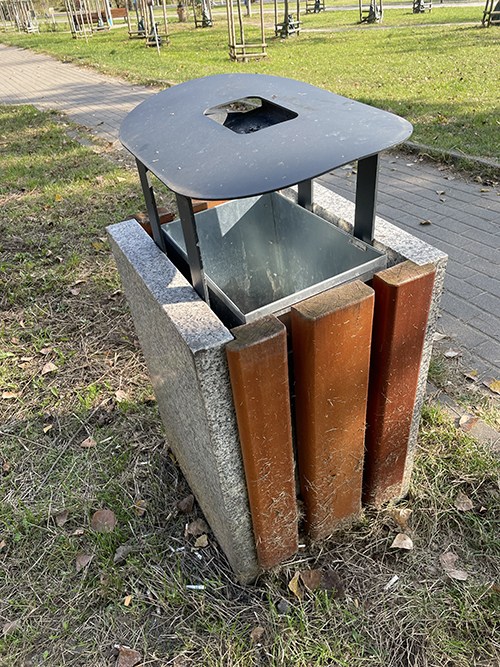
9.
- Affordance – comes from acquired knowledge. Trash bins are commonly present objects in urban space.
- Device Tags – concrete base with a removable container inside
- Mapping – none
- Feedback – none
- Rating – concrete base is a good choice because of it’s durability, the wooden decoation on the sides requires maintainance, the lid on top prevents it getting filled with water and also stands as an ashtray – good design
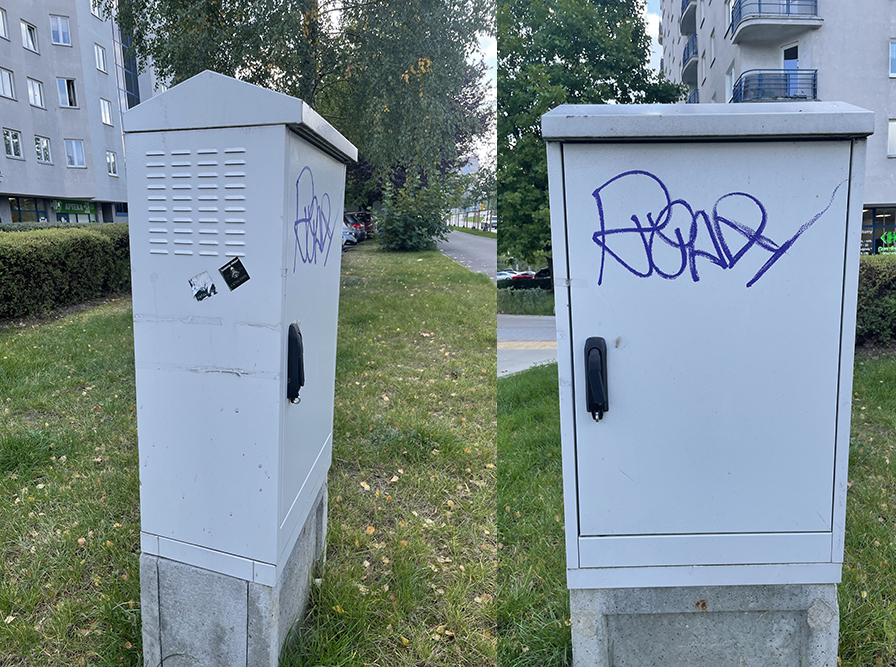
10.
- Affordance – comes from acquired knowledge.
- Device Tags – metal box with a door and a lock on it
- Mapping – none
- Feedback – none
- Rating – the box is made out of metal which should withstand the outside damages, and has a lock to only be accessible to dedicated groups, lack of markers on it also removes unwanted attention from users not involved, the top of the box has a triangular shape which helps with rainwater – good design
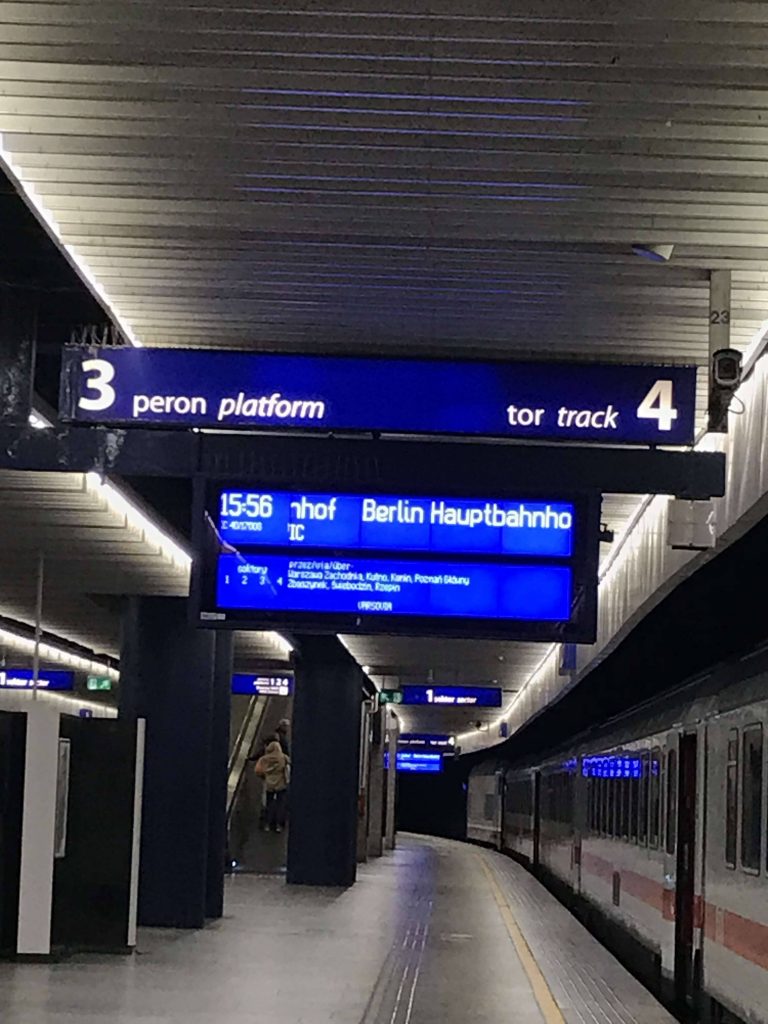
11.
- Affordance – comes from acquired knowledge. Displays the information.
- Device Tags – screen together with display tables
- Mapping – number on the table points to the platform
- Feedback – notification comes in when the train activivty happens
- Rating – the displayed information gives comprehensive description of the train activity, the track number and information on the screen together makes it easy to navigate to the vagon – good design

12.
- Affordance – comes from acquired knowledge. Commonlu used item in a household.
- Device Tags – peach shaped container made out of glass
- Mapping – none
- Feedback – none
- Rating – the shape makes it easy to grab and reduces the heat loss of the liquid inside – good design
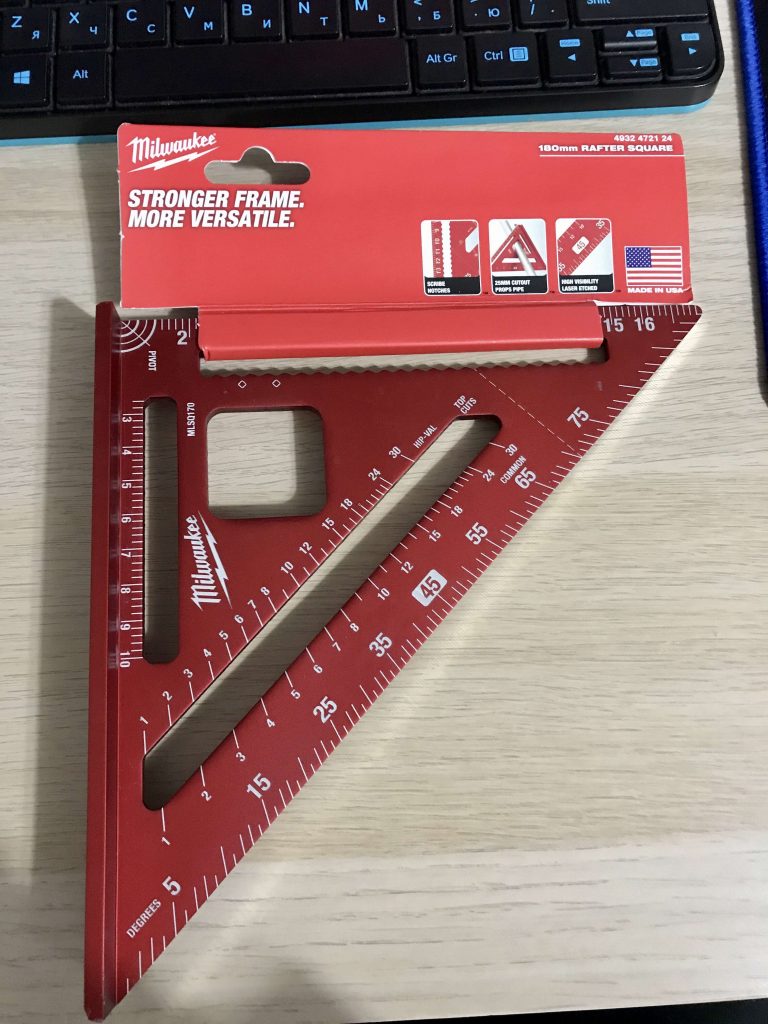
13.
- Affordance – comes from acquired knowledge.
- Device Tags – a multidimensional ruler with different markings on measurements
- Mapping – numbers on the ruler correspond to the dimensions
- Feedback – none
- Rating – the material and shape makes a good use in different applications, requires the inforamtion on the package to be observed to understand all the concepts of the ruler – good design
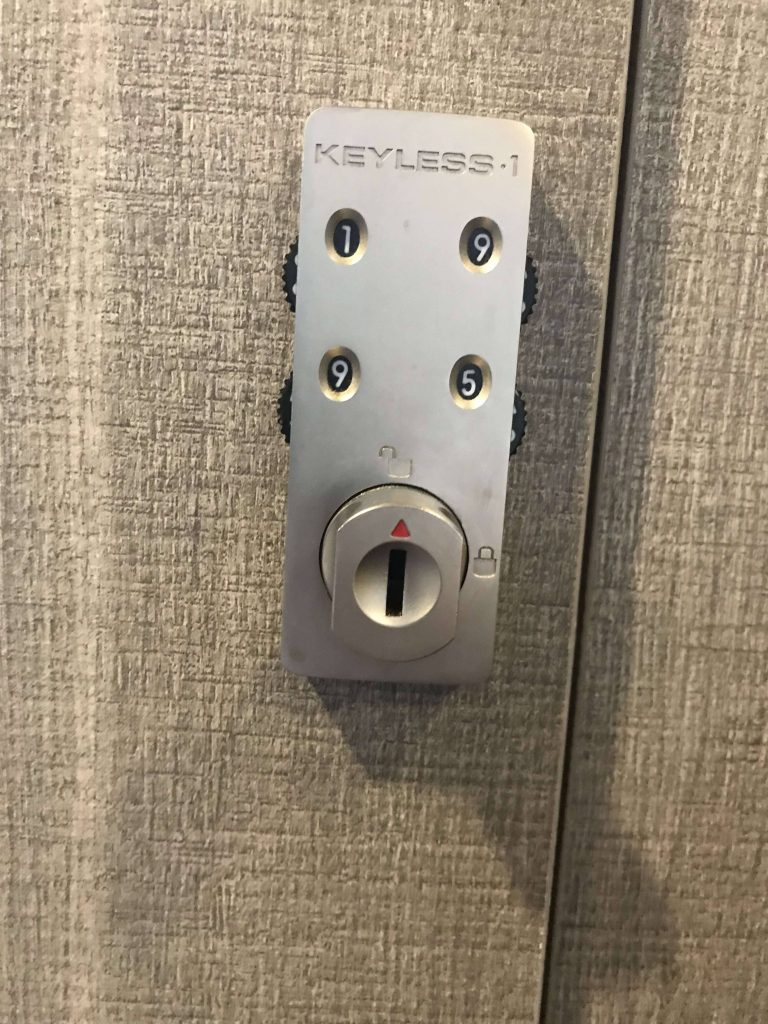
14.
- Affordance – comes from acquired knowledge. Common item in public places.
- Device Tags – small metal box with adjustable numbers and a knob
- Mapping – none
- Feedback – click sound of the lock
- Rating – the numbers and their order on the lock is not descriptive, setting up the lock with a common password can be missleading – medium design
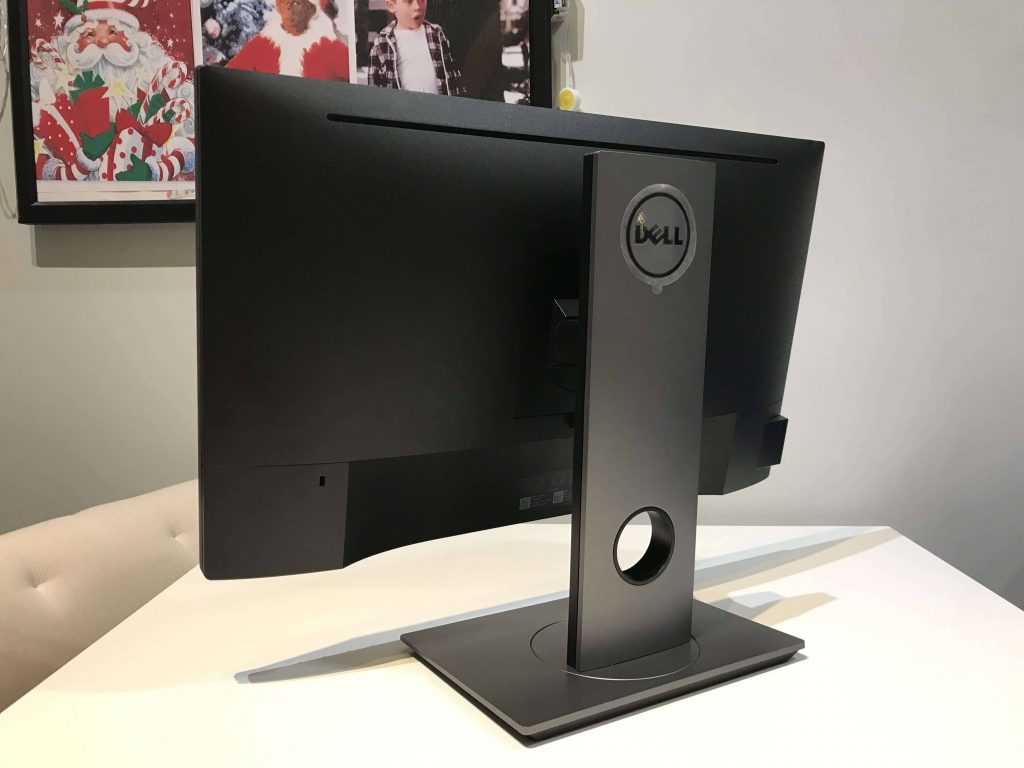
15.
- Affordance – comes from acquired knowledge. Commonly used in the working environment indoors.
- Device Tags – display on a stand
- Mapping – buttons correspond to properties being adjusted, each button has descriptive icon
- Feedback – beep sound when turned on, displayed properties when set
- Rating – the display can be adjusted in height, angle and birghtness, makes it ergonomical – good design
Task 2
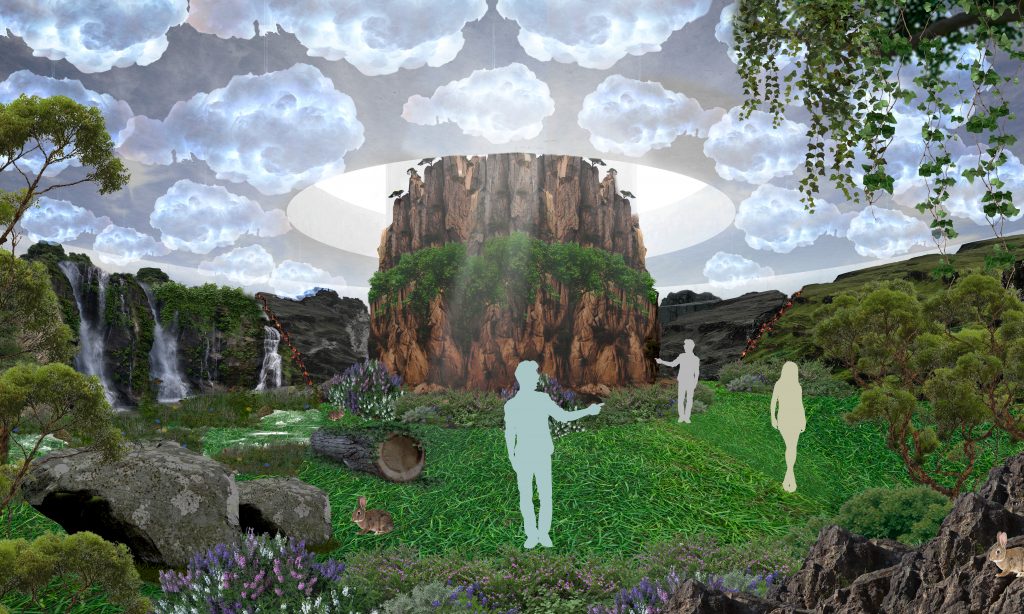
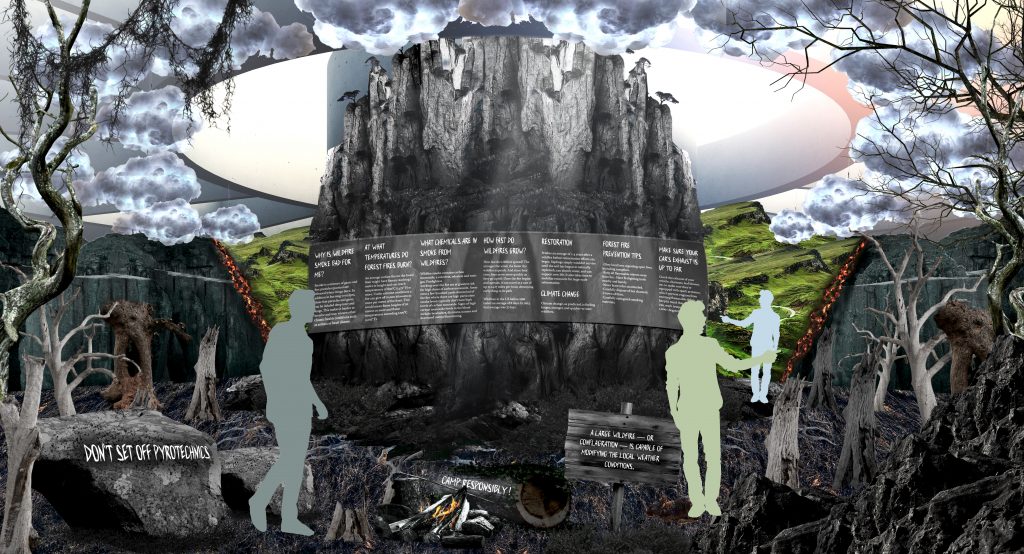
Case Study – Graphic Design in Space: Forest Fire Immersive Exhibition
My role in the Project
- I participated in the ideation, planning, and execution of the project.
- I contributed to the design of the 3D panels, the objects, and the animation.
- I worked on the text information that was displayed on the screens and objects.
Role of my team member
- She contributed to the idea of the project
- Made the visual demo’s using graphical software
- Did research on causes and fixes for the forest fire damages
Introduction
My colleague and I were both graphic design students at university, and we worked on this project as a team for the subject “Graphic Design in Space.”
The goal of our project was to create an immersive exhibition that would educate people about the damage that fires can cause to forests and natural environments. Our challenge was to design an engaging and interactive space that would grab people’s attention and educate them about fire prevention mechanisms.
User Persona
Our target audience was people of all ages who are interested in nature and environmental issues. School students and other educational organizations.
Design Process
Research
We conducted research on forest fires and their impact on the environment to gather information and statistics to inform our design decisions
Ideation
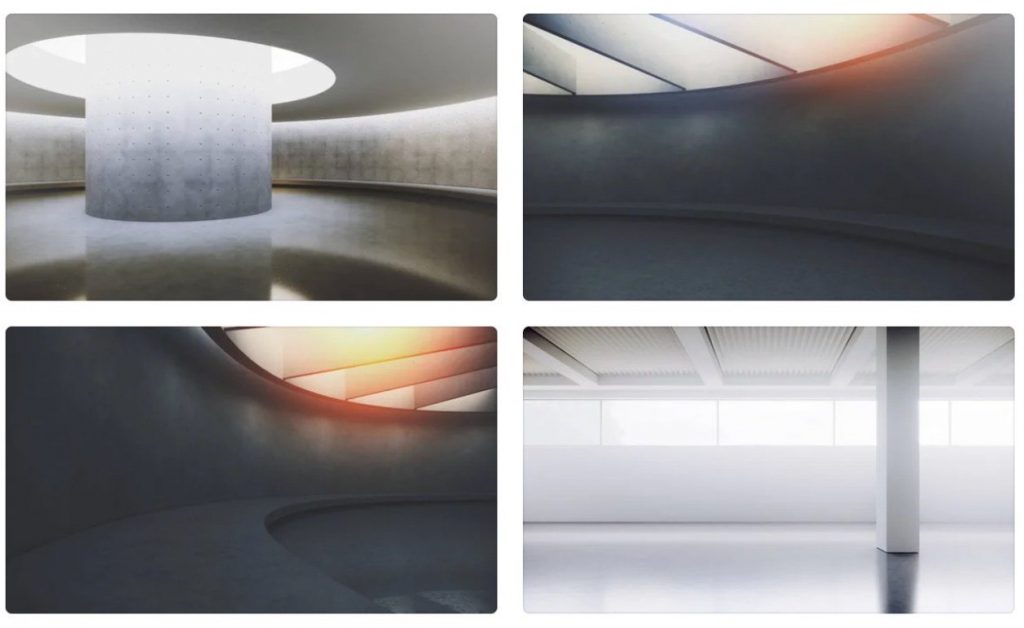
Based on our research, we brainstormed ideas for the exhibition space and settled on the concept of a circular room with 3D panels on the ceiling, walls, and floor. We also decided to incorporate objects such as rocks and plants to add a tactile element to the exhibition.
Sketches and Wireframes
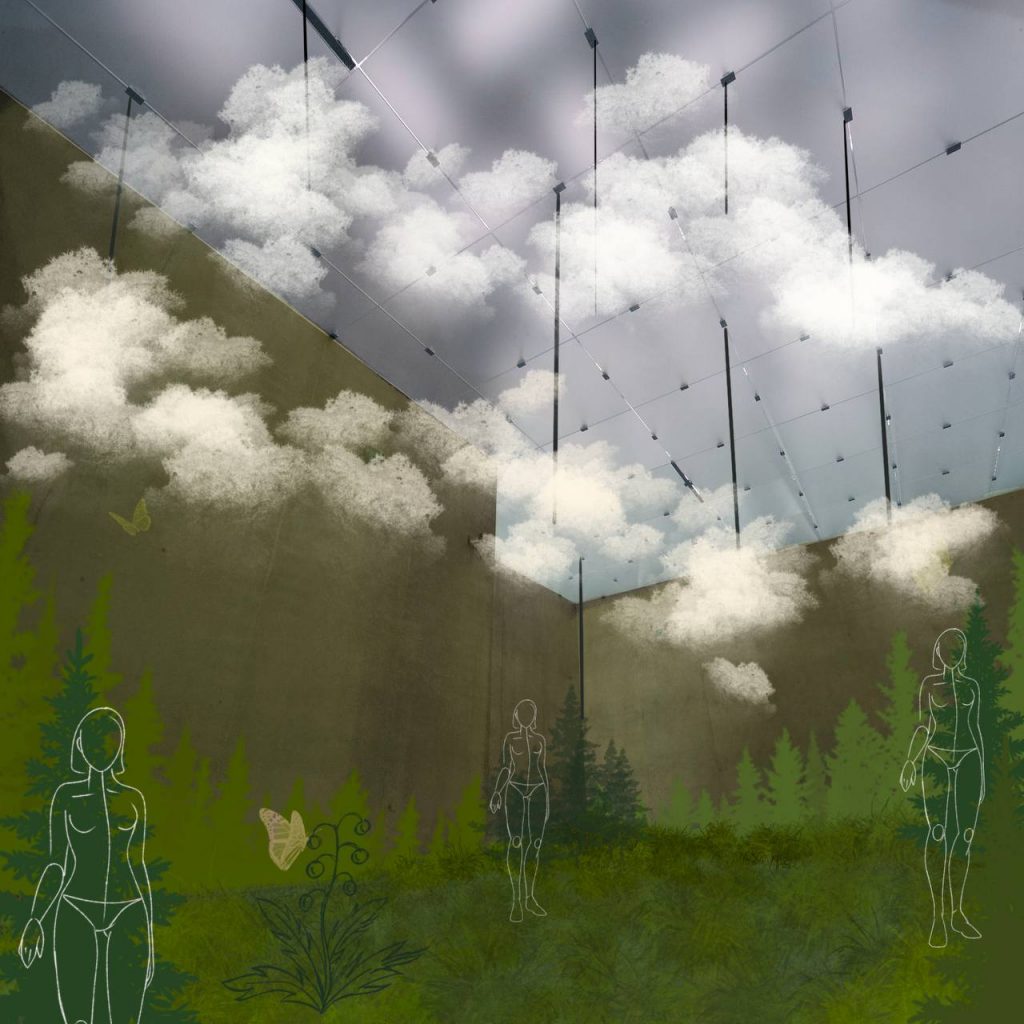
We created sketches and wireframes of the exhibition space to plan out the layout and placement of the various elements.
Final Design
We implemented the final design in a visual manner, using graphical software.
Design Process
We used a variety of tools to create the exhibition space, including graphic design software, such as photoshop illustrator and inDesign for the final presentation.
Conclusion / The Impact
Our exhibition space succeeded in educating people about the damage that fires can cause to forests and natural environments, and we received positive feedback from our peers who found the space engaging and informative
Lessons Learned
Throughout the design process, we learned the importance of conducting thorough research and testing to ensure that our design decisions were informed by accurate information and user feedback
Next Steps
If we were to continue working on this project, we would explore ways to incorporate additional interactive elements into the space, such as 3D modeling software implications, virtual reality or augmented reality experiences.
Top three things to take away from the project
- Our exhibition space successfully educated people about the damage that fires can cause to forests and natural environments in an engaging and immersive way.
- We used a variety of design tools and processes, including research, ideation, prototyping, and testing, to create an effective and informative exhibition space.
- Through our work on this project, we gained valuable experience in creating immersive and interactive graphic design experiences for physical spaces.